> ## Documentation Index
> Fetch the complete documentation index at: https://aibco.mintlify.site/llms.txt
> Use this file to discover all available pages before exploring further.
# Configure Your Chat Greeting and Suggested Questions
> Set the opening message visitors see when chat launches (up to 125 characters), and add up to four suggested question chips of 60 characters each.
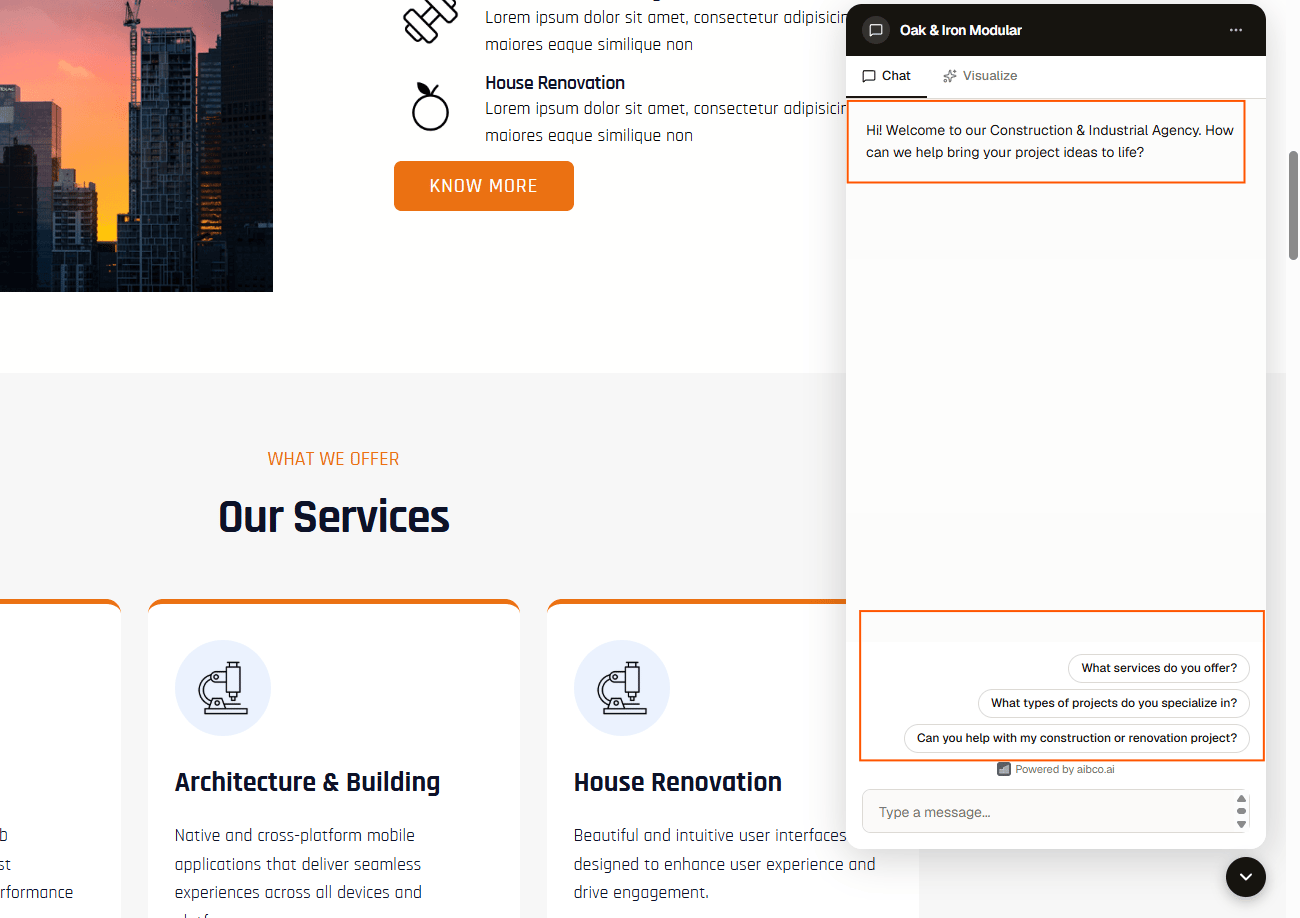
The greeting is the first impression visitors get when they open the chat panel. A clear greeting paired with relevant suggested questions helps visitors understand what the AI can do and encourages them to start a conversation.
## Configure the greeting
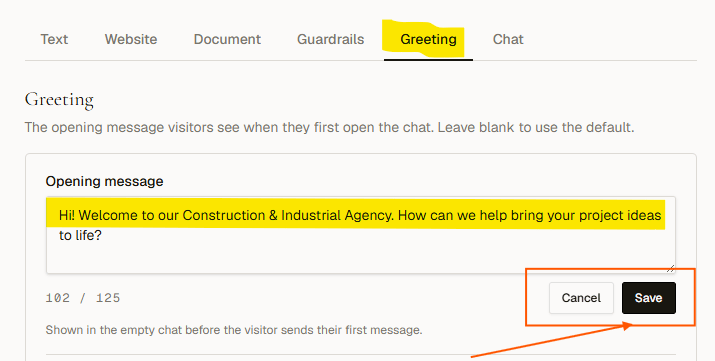
In your dashboard, go to **Chat → Greeting**.
Enter up to **125 characters**. Leave blank to use the default: *"👋 Hi! Ask me anything about the business or start a visualization."* The hosted page uses a headline version of the same line.
 Add up to **4 suggested questions**, up to **60 characters each**. They appear as tappable chips below the greeting. A visitor clicking one sends it as their first message.
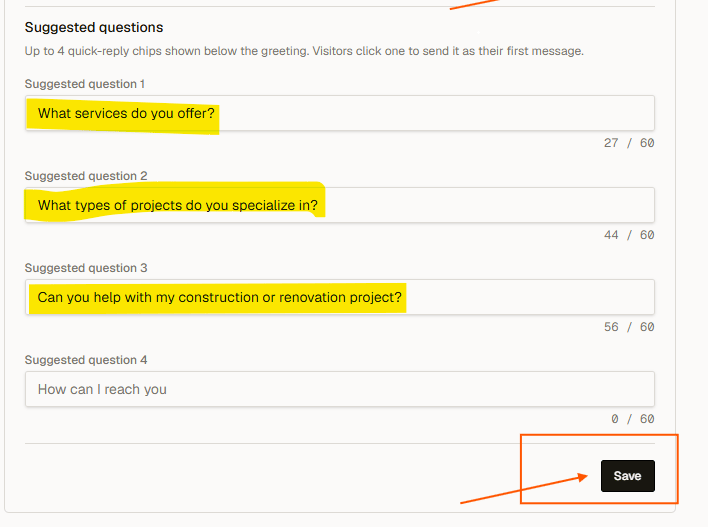 Click **Save greeting**. Reload your website to see the updated chips in the chat widget.
 ## Default suggested questions
If you never touch them, the suggested questions default to:
* *Tell me more about your services*
* *What do you specialize in*
* *Visualize our services in your space*
* *How can I reach you*
Clear them all and save if you would rather show no chips at all.
Good suggested questions mirror the topics in your knowledge base. Review your customer emails or support tickets to find the questions visitors ask most, then turn those into chips.
## Next steps
* [Add knowledge sources](/chat/knowledge)
* [Set guardrails for AI responses](/chat/guardrails)
* [Set a message limit for each session](/chat/message-limit)
## Default suggested questions
If you never touch them, the suggested questions default to:
* *Tell me more about your services*
* *What do you specialize in*
* *Visualize our services in your space*
* *How can I reach you*
Clear them all and save if you would rather show no chips at all.
Good suggested questions mirror the topics in your knowledge base. Review your customer emails or support tickets to find the questions visitors ask most, then turn those into chips.
## Next steps
* [Add knowledge sources](/chat/knowledge)
* [Set guardrails for AI responses](/chat/guardrails)
* [Set a message limit for each session](/chat/message-limit)